
• About
  • Advertise
  • Privacy & Policy
  • Contact
Zaku Malawi
  • News
    • Politics
    • Economy
    • Crime and Courts
    • Education
    • Human Rights
  • People
    • Who runs Malawi
    • Members of Parliament
    • Cabinet
    • Presidents
  • Malawi Life
    • Communities
    • Arts & Culture
    • Entertainment
    • Food and Recipes
    • Health
    • Farming
    • Travel
  • Sports
    • Football
    • Netball
    • Basketball
    • Cricket
    • Golf
  • Science & Tech
  • Guides
    • Utilities & Energy
    • Internet & Phones
    • Finances & Taxes
    • Water & Sanitation
    • TV, Radio & Streaming
    • Civic & Government
  • Zaku Originals
    • Zaku Learn
    • Zaku Research
    • The Challenge
    • Zaku Tools
    • Zaku Games
    • Zaku Voices
  • News
    • Politics
    • Economy
    • Crime and Courts
    • Education
    • Human Rights
  • People
    • Who runs Malawi
    • Members of Parliament
    • Cabinet
    • Presidents
  • Malawi Life
    • Communities
    • Arts & Culture
    • Entertainment
    • Food and Recipes
    • Health
    • Farming
    • Travel
  • Sports
    • Football
    • Netball
    • Basketball
    • Cricket
    • Golf
  • Science & Tech
  • Guides
    • Utilities & Energy
    • Internet & Phones
    • Finances & Taxes
    • Water & Sanitation
    • TV, Radio & Streaming
    • Civic & Government
  • Zaku Originals
    • Zaku Learn
    • Zaku Research
    • The Challenge
    • Zaku Tools
    • Zaku Games
    • Zaku Voices
Zaku Malawi
No Result
View All Result

Home › Guides › Utilities & Energy › ESCOM Mobile App: Report Faults, Find Tokens, Load Shedding

ESCOM Mobile App: Report Faults, Find Tokens, Load Shedding

Kondwani TembobyKondwani Tembo
November 22, 2026
Reading Time: 12 mins read
14views
escom mobile cover
Share on FacebookShare on Twitter
ESCOM · App

ESCOM Mobile app: report faults, find tokens, check bills and load shedding

What ESCOM’s official app does, how to sign up, a tour of the screens, and what to do when it lets you down.

DownloadSee the screens
  • Free
  • Android and iPhone
  • 100K+ downloads

Quick answer: The ESCOM Mobile App is ESCOM’s own free app for Android and iPhone. Use it to report a fault or an emergency and follow it up, find your prepaid tokens, work out how many units an amount will buy, check a postpaid bill, apply for a connection and see the load shedding schedule. The Android version was updated in November 2026; the iPhone version has not changed since February 2025. No data? Dial *2020# or call 2020 (South) or 3030 (Centre and North), both toll free.

Download

Get the ESCOM Mobile App

Get it onGoogle PlayDownload on theApp Store
PriceFree
Made byESCOM
Android100K+ downloads, 3.8 stars
Android updateNovember 2026
iPhoneVersion 1.0.7, iOS 13 or newer
LaunchedFebruary 2024
What it does

What you can do in the app

Report faults and emergenciesPower out, a fallen line, a fire: report it with your location and get a reference number.
Follow upSee whether your fault is pending, in resolution or closed, and check a new connection application.
Tokens and TIDFind tokens you bought for your meter, and check the meter’s TID status.
Simulate unitsType an amount in kwacha and see how many units (kWh) it will buy before you pay.
Bill enquiryCheck a postpaid bill without going to an ESCOM office.
Load sheddingAn alert when cuts are expected in your area, and the weekly schedule.
Apply for electricityStart a new connection application from the app.
Service centresFind ESCOM offices near you, and join ESCOM’s WhatsApp groups.
Sign up

Creating an account

  1. Register

    Open the app and tap Register. Sign-up has three steps. The first asks for your first and last name, a username and your meter number; you also choose your district and location area and set a password.

  2. Add every meter

    Tap Add Another Meter to add more than one, for example a house and a shop, so tokens and faults for both show in one account.

  3. If your area is missing

    Reviewers say some districts showed no location areas, so they could not finish signing up. ESCOM’s November 2026 Android update says it updated locations, so update the app and try again.

Find your way

A quick tour of the app

Official Google Play screenshots of the current design. We hid a customer’s name on two of them.

  1. Home: outages, alerts and eight shortcuts

    A red bar warns when load shedding is expected in your area, with a link to the schedule. Below are Report Incident, Apply for Electricity, Tokens and TID, Follow Up, Simulate Units, Bill Enquiry, Service Centres and WhatsApp Groups.
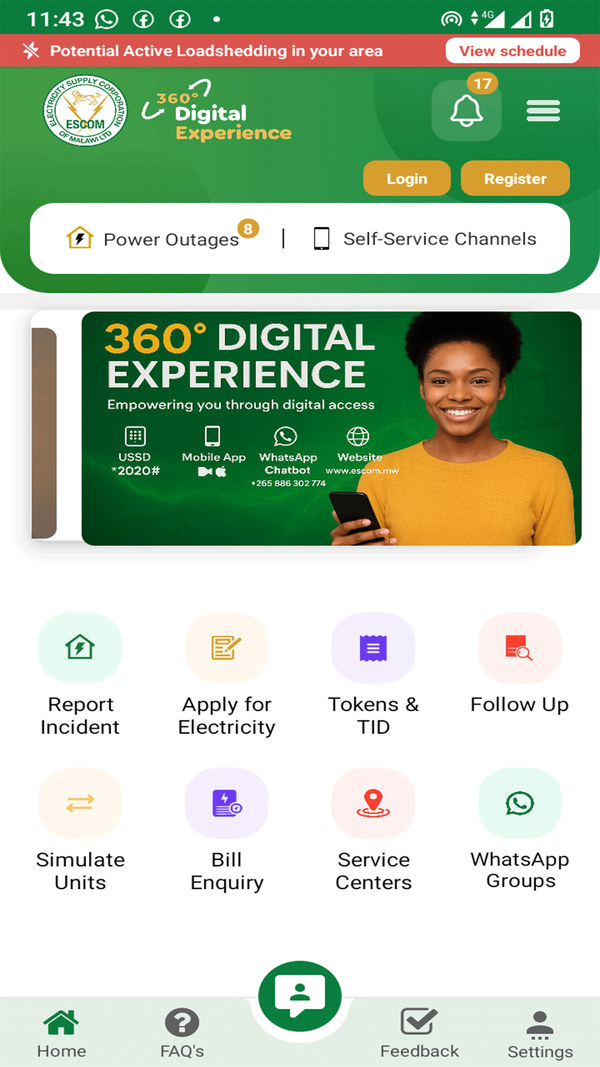
    ESCOM Mobile app home screen with outage alert and eight service buttons
    Home screen
  2. Follow up a fault or a connection

    Check what happened to something you reported: an emergency or fault, or a new connection application.
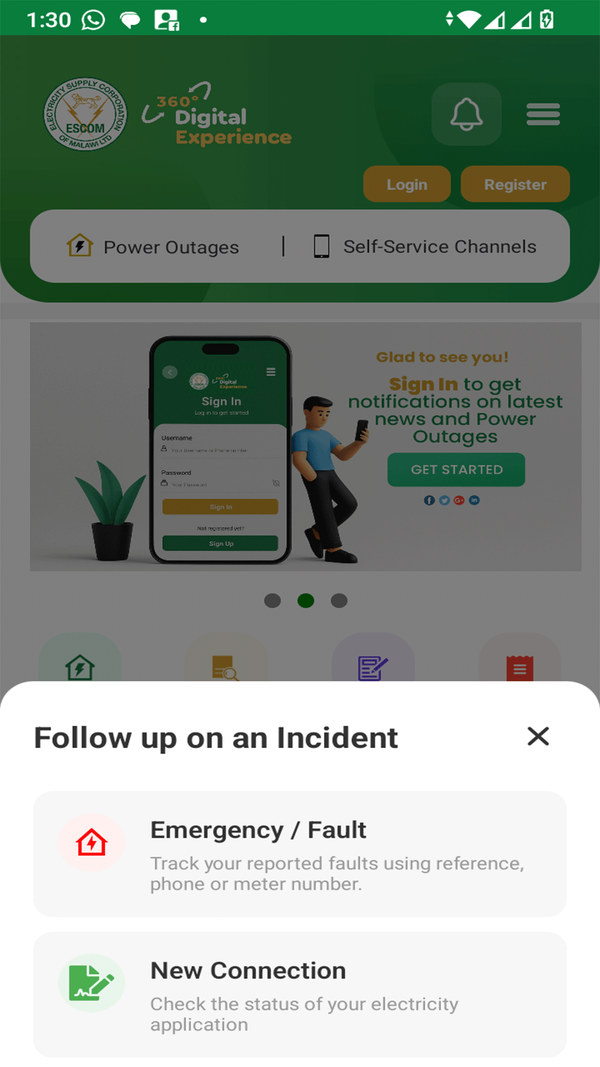
    ESCOM Mobile follow up menu for faults and new connections
    Follow up
  3. Fault report log

    Every fault you reported, with its reference number, the fault type, your location and its stage: Pending, In Resolution or Closed.
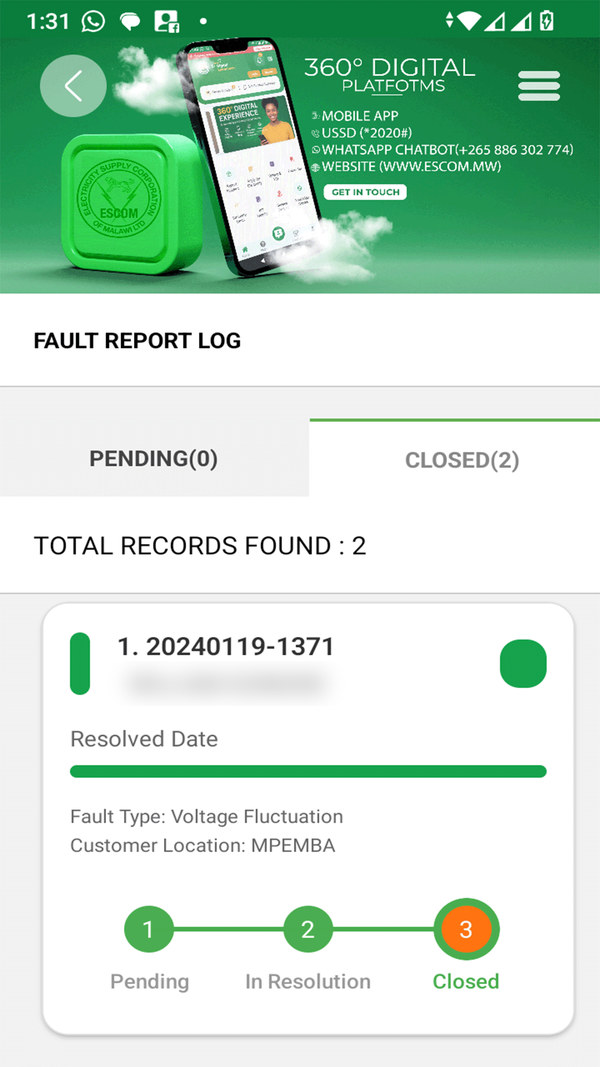
    ESCOM Mobile fault report log showing a closed voltage fluctuation fault
    Fault log (name hidden)
  4. Simulate units before you buy

    Enter an amount and the app shows how many units (kWh) you will get. In ESCOM’s example, MK7,000 buys 55.1 units on that meter.
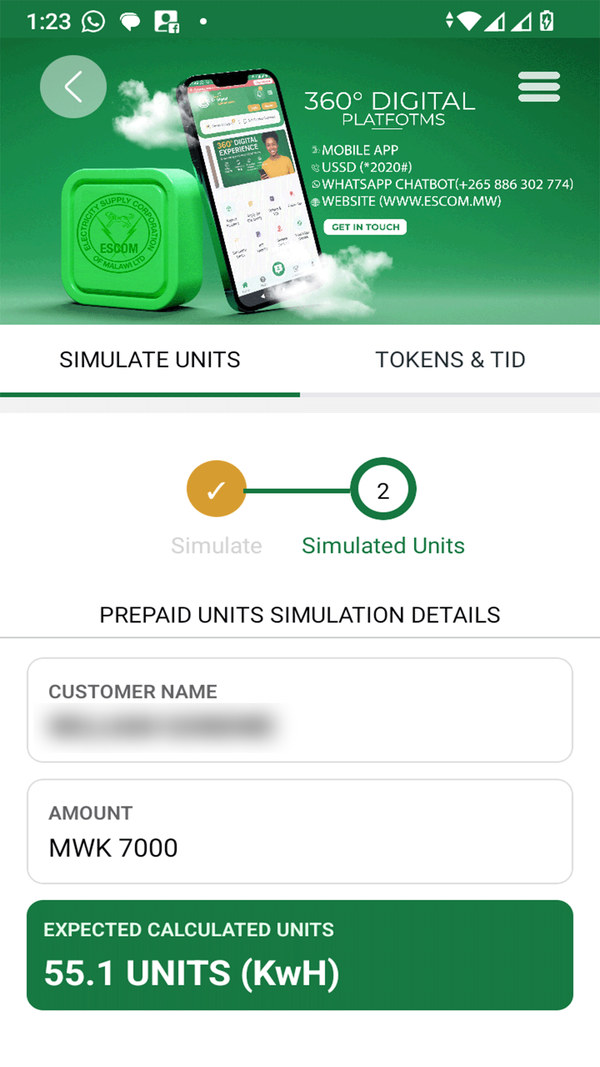
    ESCOM Mobile prepaid units simulator showing MK7,000 gives 55.1 kWh
    Units simulator (name hidden)
  5. Other ways to reach ESCOM

    The app lists ESCOM’s other self-service channels: the WhatsApp chatbot on 0886 302 774, USSD *2020# and the web portal.
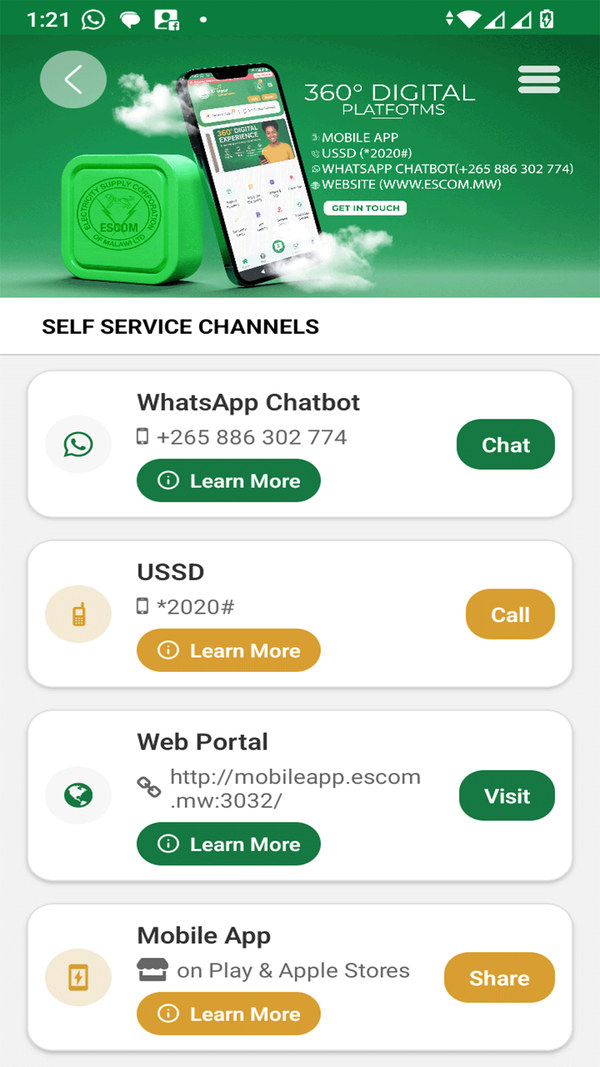
    ESCOM Mobile self-service channels: WhatsApp chatbot, USSD and web portal
    Self-service channels
Use it with our guides

Get more from the app

Power out? The app is one of several ways to report it. Toll free numbers, WhatsApp and district fault lines are in our ESCOM fault guide.

Token not arriving? Look it up under Tokens and TID, or see every way to buy and recover units in our prepaid units guide.

Want to know the price per unit? The simulator shows units for one amount; our ESCOM tariffs guide has the 2026 rates and a calculator.

Load shedding: reviewers say the schedule in the app can run a week behind. Our load shedding schedule is updated every week from ESCOM’s PDF.

If it lets you down

Common problems

Area missing at sign-upUpdate the app first. If your area is still not listed, report by WhatsApp or *2020# instead.
Old load shedding timesCheck the date on the schedule. If it is last week’s, use ESCOM’s Facebook page or our weekly schedule.
iPhone version behindThe iPhone app is older than the Android one and has few ratings. If it misbehaves, use the WhatsApp chatbot.

Paying: the app can start a payment, but most people buy units through Airtel Money, TNM Mpamba or a bank app, which work whether or not the app does.

Privacy

Your data

On Google Play, ESCOM says the app collects no data, shares none with third parties and encrypts data in transit.

Contact ESCOM

Help with the app or your account

Call 2020Toll free, Southern RegionCall 3030Toll free, Central and NorthernWhatsApp 0886 302 774ESCOM chatbot[email protected]App support email
Questions

ESCOM Mobile App FAQ

Is the ESCOM app free?

Yes. The ESCOM Mobile App is free on Google Play and the App Store.

Can I report a power fault in the ESCOM app?

Yes. Tap Report Incident, choose the fault or emergency and your location, and you get a reference number to follow it up.

Can I find my ESCOM tokens in the app?

Yes. Sign in, open Tokens and TID and search your meter. You can also dial *2020# and choose option 6.

Does the ESCOM app show load shedding?

Yes, with an alert when cuts are expected in your area. Check the date, as reviewers say it can lag behind ESCOM’s weekly PDF.

Why can’t I register on the ESCOM app?

Some districts had no location areas to pick. Update the app (ESCOM updated locations in November 2026) or use WhatsApp or *2020#.

Can I buy ESCOM units in the app?

The app can start a payment, but Airtel Money, TNM Mpamba and bank apps are the usual ways to buy units.

Is the ESCOM app on iPhone?

Yes, as ESCOM Mobile App on the App Store, for iOS 13 or newer. It was last updated in February 2025.

Malawi GuidePlan your Lake Malawi tripVisas, money, beaches and getting around.Open the guide →Ad
Kondwani Tembo

Kondwani Tembo

Kondwani covers sports and the economy, from Super League weekends to fuel and maize prices. He follows the numbers so readers get clear updates fast.

Related Posts

ESCOM tariffs 2026: K79.90 for the first 50 units a month and K122.25 above 50 for homes on prepaid
Utilities & Energy

ESCOM Tariffs 2026: Price per Unit for Homes and Businesses, With Calculator

November 21, 2026
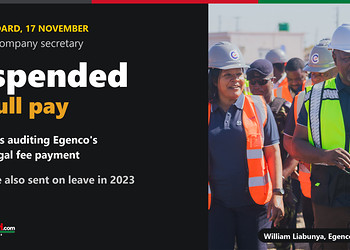
Egenco board suspends CEO and company secretary on full pay, 17 November 2026; photo of William Liabunya in an Egenco hard hat and vest at the Salima solar plant
News

Egenco suspends CEO and company secretary, 17 November 2026

November 19, 2026
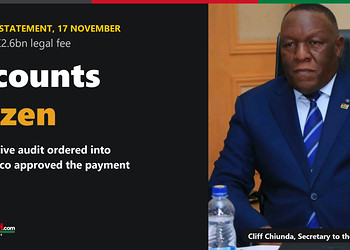
Accounts frozen over Egenco K2.6bn legal fee, audit ordered; photo of Secretary to the Treasury Cliff Chiunda
News

Treasury freezes accounts linked to Egenco’s K2.6bn legal fee

November 19, 2026
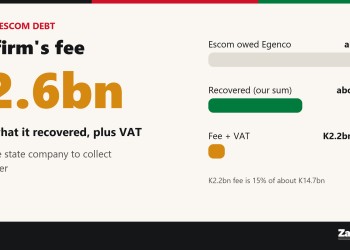
Card: Egenco's K2.6bn legal fee against a K30bn Escom debt, of which about K14.7bn was recovered
News

Egenco paid a law firm K2.6bn to collect an Escom debt

November 18, 2026
Please login to join discussion

Coming soon Zaku Games Bao, quizzes and daily puzzles with a Malawi twist. Take a look → Ad

Get new stories by email

Guides, news and explainers from Zaku Malawi. Free, and you can leave any time.

Latest

  • bwb madzi app cover Water & Sanitation BWB Madzi App: Check Water Bills and Tokens, Report Faults 2 hours ago
  • airtel chezani voice bundles cover Internet & Phones Airtel Chezani Voice Bundles: Minutes, Prices and ChezaMax 3 hours ago
  • airtel mofaya data bundles cover Internet & Phones Airtel MoFaya Bundles: Daily, Weekly and Monthly Data Prices 3 hours ago
  • mtl shops contacts cover Internet & Phones MTL Shops and Contacts: All 12 Service Centres, Phone and Email 3 hours ago
  • mtl internet bundles guide cover Internet & Phones MTL Internet Bundles 2026: 4G Prices, MiNITE and Unlimited 3 hours ago

Advertise Reach Malawi on Zaku Put your brand in front of readers at home and abroad. Get rates → Ad

Zaku Malawi

Copyright © 2026 Zaku Malawi

Navigate Site

  • About
  • Advertise
  • Privacy & Policy
  • Contact

Follow Us

Welcome Back!

Sign In with Facebook
Sign In with Google
OR

Login to your account below

Forgotten Password? Sign Up

Create New Account!

Sign Up with Facebook
Sign Up with Google
OR

Fill the forms below to register

All fields are required. Log In

Retrieve your password

Please enter your username or email address to reset your password.

Log In
0 people online
Zaku Malawi

Help

  • Contact Us
  • Submit News
  • Privacy Policy
  • Sitemap

Zaku Malawi

  • About Us
  • Our Team
  • Advertise
  • Work With Us
  • Newsletter

Follow us

No Result
View All Result
  • News
    • Politics
    • Economy
    • Crime and Courts
    • Education
    • Human Rights
  • People
    • Who runs Malawi
    • Members of Parliament
    • Cabinet
    • Presidents
  • Malawi Life
    • Communities
    • Arts & Culture
    • Entertainment
    • Food and Recipes
    • Health
    • Farming
    • Travel
  • Sports
    • Football
    • Netball
    • Basketball
    • Cricket
    • Golf
  • Science & Tech
  • Guides
    • Utilities & Energy
    • Internet & Phones
    • Finances & Taxes
    • Water & Sanitation
    • TV, Radio & Streaming
    • Civic & Government
  • Zaku Originals
    • Zaku Learn
    • Zaku Research
    • The Challenge
    • Zaku Tools
    • Zaku Games
    • Zaku Voices

Copyright © 2026 Zaku Malawi

English