
Make your mobile data last
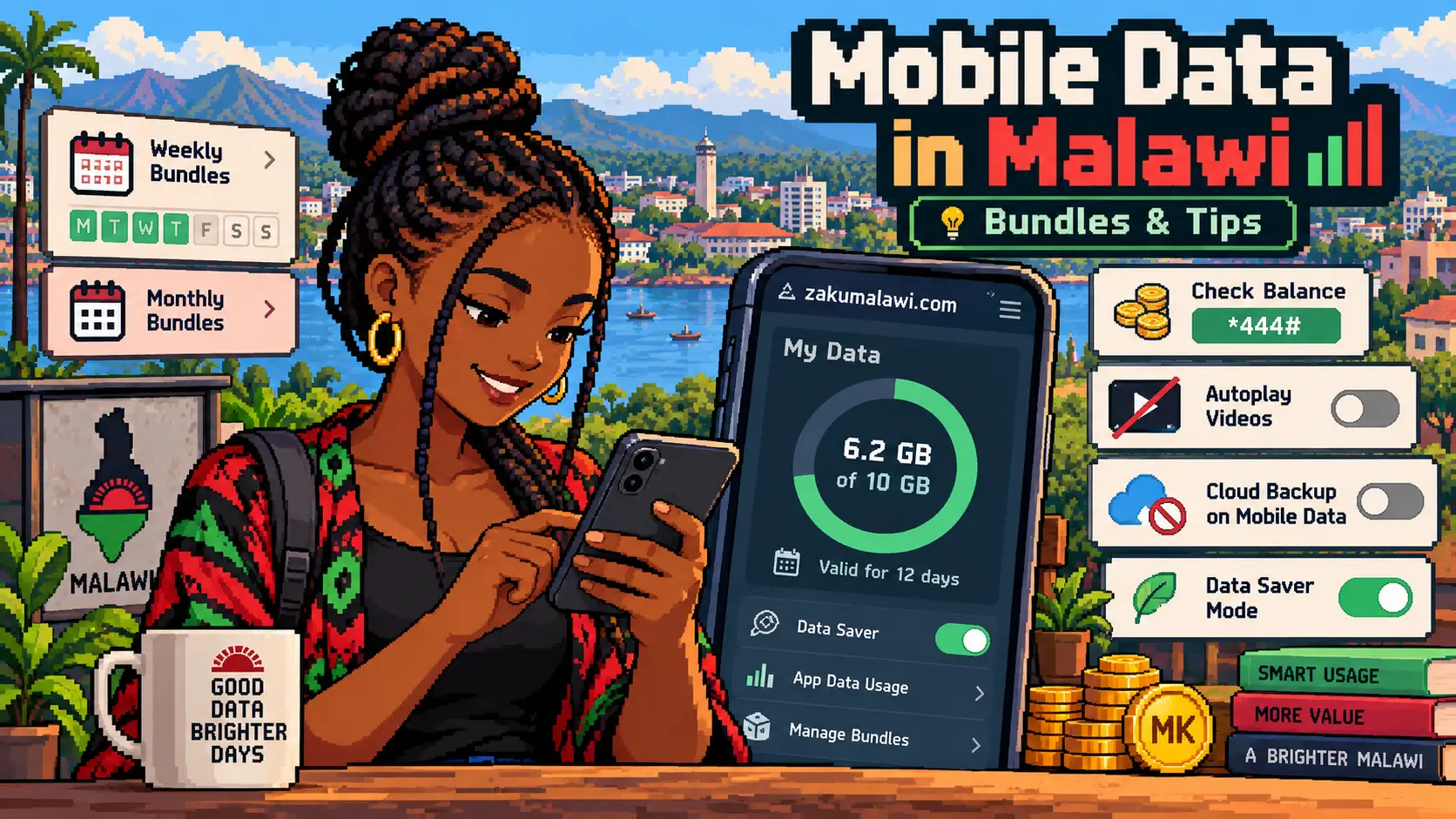
Check your balance in your network’s free app, pick the bundle that fits how you really use your phone, and switch on the Android settings that stop apps eating your MBs.
- My Airtel app
- TNM Smart App
- Radio 15 to 60 MB an hour
Quick answer: Install your network’s free app, My Airtel or the TNM Smart App: it shows your balance and today’s bundle prices, and you can buy in a few taps. A weekly or monthly bundle is almost always cheaper per GB than buying a daily one every day. Video eats the most data, so set YouTube and TikTok to Data saver, turn off WhatsApp auto-download, and let apps update on Wi-Fi only. For radio, FM is free; online radio uses about 15 to 60 MB an hour.
Check your balance and buy bundles in the app
Both networks have a free app. It shows how much data you have left, when it expires, and today’s bundle prices, which change more often than any website, including this one.
No smartphone, or no data to open the app? Dial these instead.
Airtel
- Buy a bundle*301#
- Data balance*304#
TNM
- Buy a bundle*202#
- All balances by SMS#123#
TNM bonus: TNM’s help page says that if you spend MK1,000 of airtime on the internet you get a free 50 MB that lasts 24 hours, up to 20 times a month. Buying a bundle is still much cheaper than paying from airtime.
Pick the bundle that fits your week
The cheapest bundle on the menu is rarely the cheapest way to stay online. Find the line that sounds like you.
Compare bundles in one minute
- Open the bundles page in My Airtel or the TNM Smart App and write down three bundles: price, size and days.
- Divide the price by the GB. Example numbers only: MK6,000 for 3 GB is MK2,000 per GB; MK1,000 for 250 MB is MK4,000 per GB.
- Pick the lowest price per GB that you will really use up before it expires, because unused MBs usually disappear.
- Check your balance in the app before it runs out, and buy the next bundle before your phone falls back on airtime.
How much data one hour uses
Rounded typical figures. Video changes the most with quality, so the same hour of YouTube can cost 90 MB or 2 GB.
Radio figures come from the stream bitrate (a 128 kbps stream uses about 58 MB an hour) and match our station guides. Messages and plain web pages use very little; photos, voice notes and video are what empty a bundle.
Eight Android settings that make a bundle last
Menu names differ a little on Tecno, itel, Infinix and Samsung. If you cannot find one, type its name into the search box at the top of Settings.
Turn on Data Saver
Settings, Network & internet, Data Saver, switch on. On Samsung: Connections, Data usage, Data saver.
Apps stop using mobile data in the background. You can let one or two apps, such as WhatsApp, keep working.
Find the apps that eat your data
Settings, Network & internet, SIMs (or Mobile network), App data usage. The biggest users are at the top.
Tap a heavy app and switch off Background data, so it only uses data while it is open.
Set a data warning
On the same screen, open Data warning & limit. Set a warning a little below your bundle size, so you know before it runs out.
Update apps on Wi-Fi only
Play Store, tap your profile picture, Settings, Network preferences. Set Auto-update apps and App download preference to Over Wi-Fi only. Updates can be hundreds of MB.
Stop WhatsApp downloading everything
WhatsApp, Settings, Storage and data, Media auto-download, When using mobile data: untick all.
Photos and videos in busy groups then download only when you tap them.
Set YouTube to Data saver
YouTube, your profile, Settings, Video quality preferences, On mobile networks: choose Data saver.
Long videos are cheaper to download on Wi-Fi and watch later.
Turn on TikTok and Facebook data saver
TikTok: Profile, the menu at the top, Settings and privacy, Data Saver. Facebook: Menu, Settings, Media, Data saver. Both play videos at lower quality and stop autoplay eating MBs.
Back up photos on Wi-Fi only
Google Photos, your profile, Photos settings, Backup, and switch off backup on mobile data. One month of photos can be more than a whole bundle.
Radio is free on FM. Many Tecno, itel and Infinix phones have an FM Radio app that uses no data at all: plug in wired earphones (the cable is the aerial) and tune in. Find your station’s number in our list of Malawi radio stations.
Mobile data FAQ
Why does my data finish so fast?
Usually video, auto-downloads and app updates. Open Settings, Network & internet, App data usage to see which apps used it, then follow the eight settings above. On TNM, the Smart App also shows your monthly use.
What happens when my bundle runs out?
If mobile data stays on, your phone keeps going online and pays from your airtime at out-of-bundle rates, which cost far more per MB. Set a data warning, and turn mobile data off when you are not using it.
Do unused MBs carry over?
Usually not. Most bundles end on their expiry date and the leftover MBs are lost. Check the terms in the menu before you buy, and choose a size you will use up.
Is there 5G in Malawi?
Yes, but not everywhere yet. TNM switched on 5G in Lilongwe in July 2025, and Airtel launched it in November 2025 on 56 sites in Lilongwe and nine other towns, including Blantyre, Zomba, Kasungu and Dowa. You need a 5G phone and to be near a 5G site; everywhere else your phone uses 4G. Both networks are still adding sites; a 5G phone shows 5G next to the signal bars when you are in range.
Does 4G or 5G use more data?
Not for the same thing: one hour of YouTube at 360p is the same MBs on 3G, 4G or 5G. Faster networks make videos pick a higher quality, and you may watch more, so set YouTube and TikTok to Data saver and a faster network costs you the same.
Does a hotspot use more data?
Your laptop or second phone uses your bundle, and laptops use a lot: Windows and app updates can take a GB or more. On Windows, open Wi-Fi settings, tap your hotspot and turn on Metered connection to pause big updates.
Does listening to the radio use data?
Not on FM. Online streams use about 15 to 60 MB an hour, and a few high quality streams use up to about 145 MB. See Malawi radio stations for FM numbers and tested streams.
Why are there no bundle prices on this page?
Airtel and TNM change prices and bundle names often, and their websites are not kept up to date. The My Airtel and TNM Smart apps always show today’s prices. We are checking current prices on real Airtel and TNM lines for a separate price guide.
Sources: TNM codes, bonus and app features from TNM FAQs and the TNM Smart App page (read 18 October 2026). Airtel’s website (airtel.mw) would not load for us on 18 October 2026, so the Airtel codes come from independent USSD guides. App details from the Google Play and App Store listings (My Airtel updated 16 October 2026, TNM Smart App 23 September 2026). 5G: Ecofin and Developing Telecoms (November 2025). Radio data use is worked out from each stream’s bitrate; the other figures are rounded typical values and change with the app and video quality.